01
Import your video
Choose local videos in the Windows app.
Each video gets its own saved project.
Import in the Windows appIllustrative import · no website upload
THE SMARTER WAY TO CLIP
Turn long videos into share-ready moments. Set the format, review each suggestion, and choose exactly what to export.
Local video workflow. Your footage stays on your device.
Try the controls with sample content. Your files stay untouched; real editing happens in the Windows app.
CLIP STUDIO
Import a video, set your clip rules, and review the moments worth keeping.
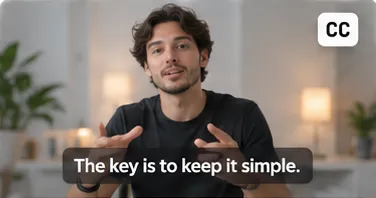
In the Windows app, choose local videos. Each video gets its own saved project.
Meet your next editing room. Screenshot-matched Windows walkthrough with an illustrative presenter. No browser editor.
A BETTER WORKFLOW
Four simple steps. A whole new way to find your moments.
Choose local videos in the Windows app.
Each video gets its own saved project.
Choose framing, minimum and maximum
lengths, and discovery preferences.
Play, keep, skip, trim or rename suggestions.
Add your own manual clips when needed.
Save selected MP4 clips and optional captions
to a folder you choose on your computer.
The walkthrough uses sample content only. Real editing and exports happen in the installed Windows app.
MADE FOR CREATORS
Find the moments worth sharing, so you can focus on what you create.
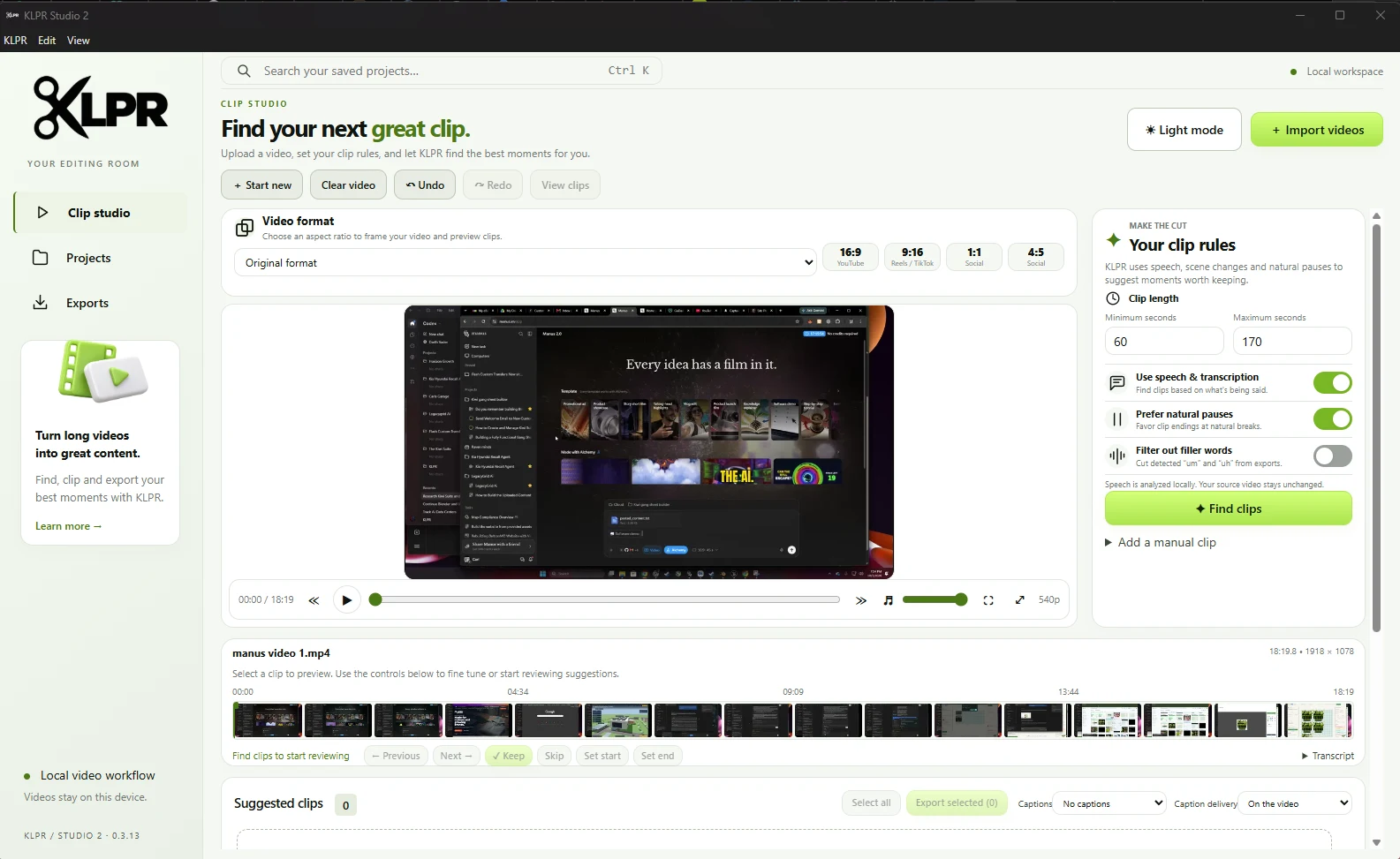
On Windows, use speech, sentence boundaries, pauses and visual scene changes to find reviewable starting points.
Prefer natural breaks when finding suggestions. Review every boundary; this does not remove all pauses.
Windows transcribes speech locally. Correct timed captions and export them on your video, as SRT, or both.
On Windows, choose Original, 16:9, 9:16, 1:1 or 4:5, and adjust vertical framing before export.
THE REAL EDITING ROOM
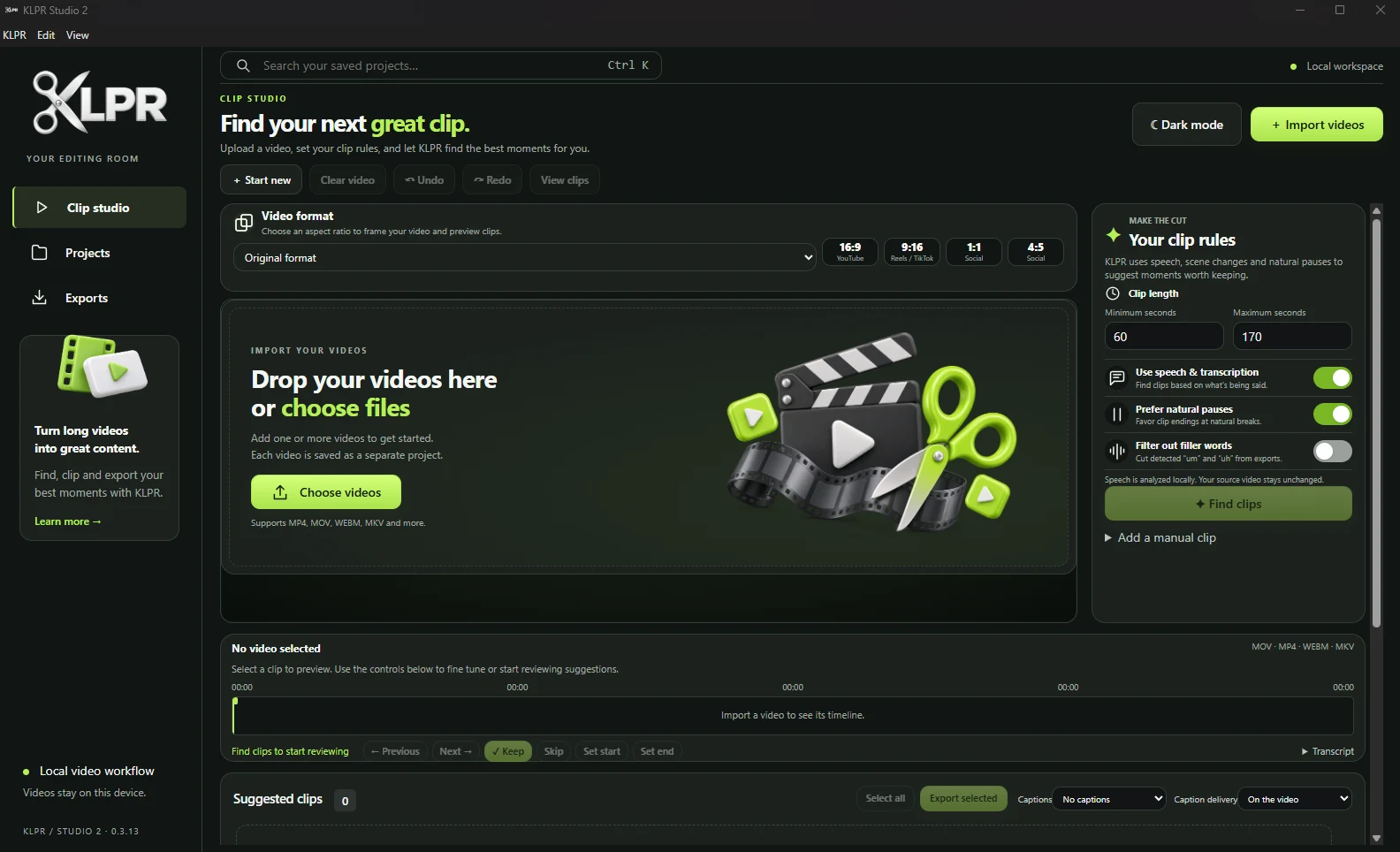
The actual Windows workspace, in light and dark. Import locally. Review deliberately. Export your choices.
ON YOUR DEVICE. IN YOUR CONTROL.
Two platforms. Different stages of development.
Here is what is available to preview today.
The most complete current KLPR app: on-device transcription, reviewable clip suggestions, manual edits, captions and MP4 export.
Local import, playback, saved projects and manual clip review are being developed for Android.
Android does not yet offer Windows feature parity. AI transcription and ranking, burned-in captions, and validated native MP4 rendering are not publicly ready.
LOCAL VIDEO WORKFLOW
Windows processing, transcription, projects and exports stay on your computer. You choose where your clips are saved. The described app workflow does not require uploading source footage to a KLPR cloud service.
Suggestions and speech recognition can be imperfect. You review each moment and decide what to keep.LESS EDITING. MORE CREATING.
Import locally. Find the clips worth sharing.